
Every Morning Starts With Ten Open Tabs.
So We Built An AI COO That Reads Them For You.
They lose the first hour of every day checking Gmail, Calendar, Slack, and Asana, trying to work out what actually needs their attention.


5
Core modules
6
Integrations
2×
Briefs per day
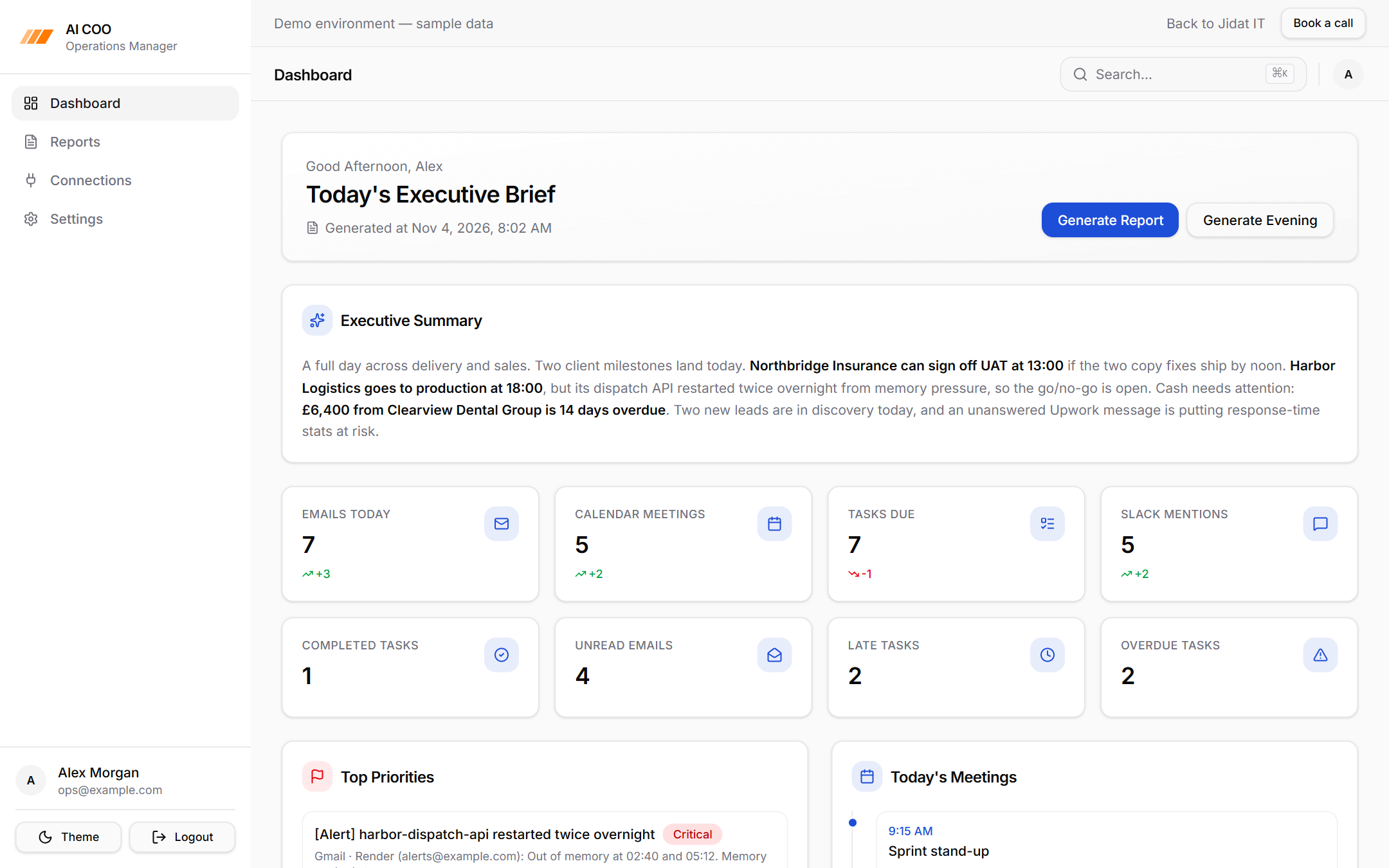
Project Snapshot
- Industry
- AI Tools
- Platform
- AI Operations Manager
- Focus
- Scheduled Executive Briefs Across Email, Calendar, Tasks & Chat
- Integrations
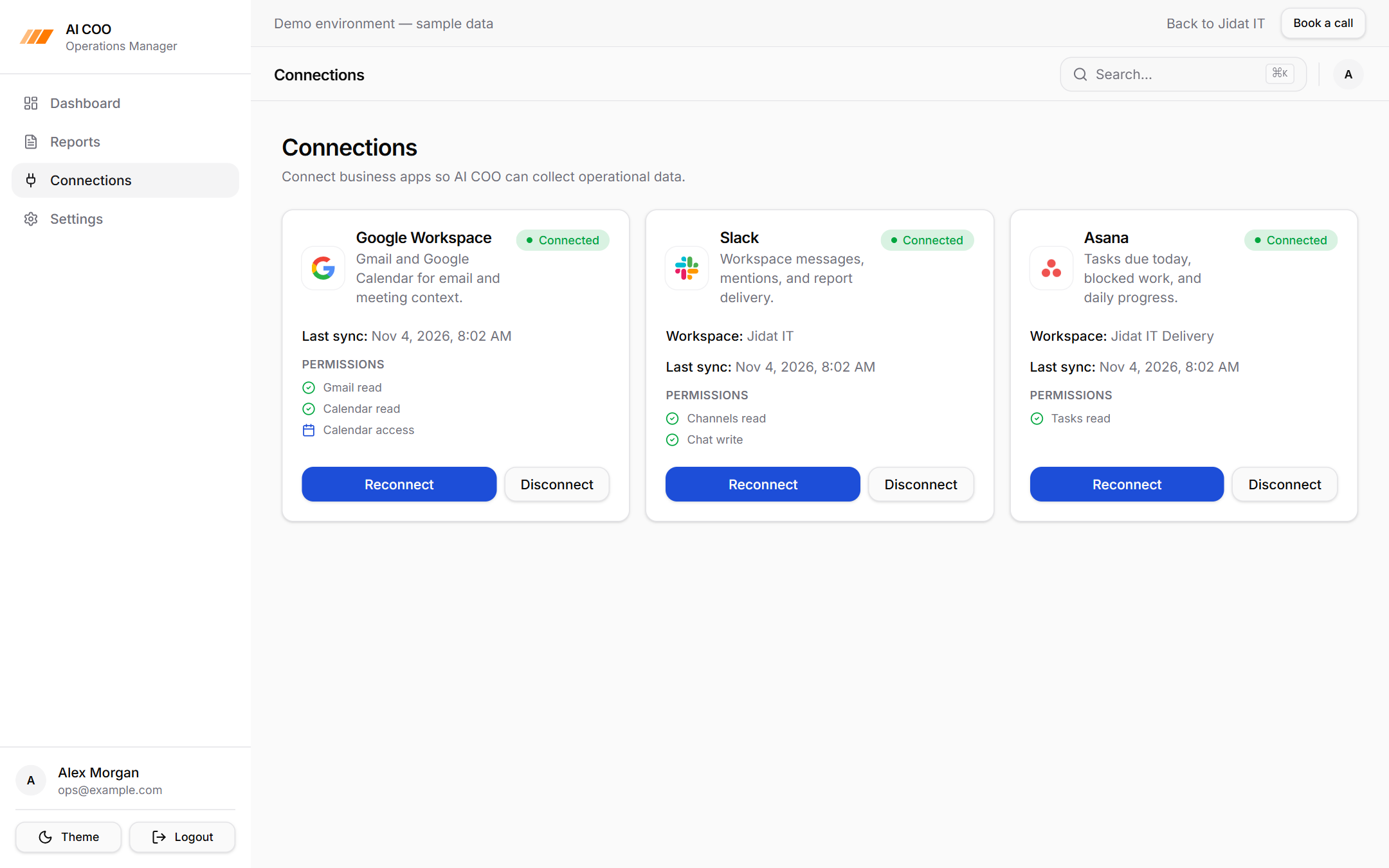
- Gmail · Google Calendar · Slack · Asana · OpenRouter · Resend
- Core Modules
- • Data Connectors• Scheduler• AI Brief Generator• Ops Dashboard• Multi-Channel Delivery
The brief
Most leaders don't lack information.
They lose the first hour of every day checking Gmail, Calendar, Slack, and Asana, trying to work out what actually needs their attention.
Everyone asks for an AI chatbot.
But a chatbot still waits for you to ask the right question.
What operators really need is someone who has already read everything and tells them what matters, before they ask.
The Problem Isn't Information. It's Attention.
Important emails sit next to newsletters.
Meetings get added overnight. Tasks quietly slip past their due dates.
A mention in Slack decides whether a deal moves forward today.
Every tool has its own inbox. None of them tell you what to do first.
What We Decided
This shouldn't be a chatbot. It should be a scheduled reporting product.
Twice a day, in each user's own timezone, the system collects what happened and writes an executive brief.
No prompts to write. No questions to remember. The brief simply arrives.
Engineering Note
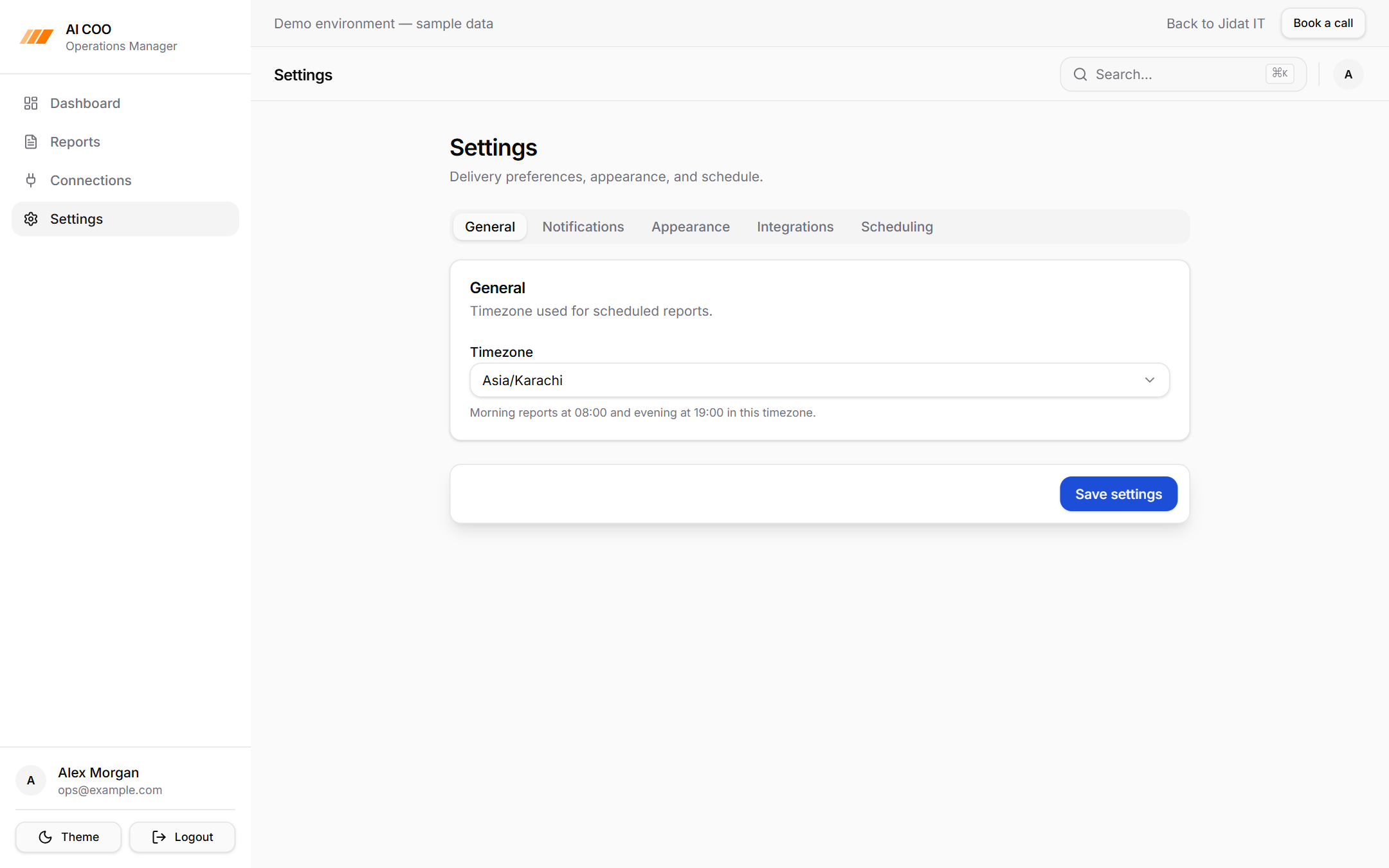
Reports run on a per-user schedule (08:00 and 19:00 local time), so a team spread across timezones each gets their brief at the start and end of their own day.
Leaders don't need another inbox. They need someone who has already read all of them.
Four Tools. Four Different Languages.
An email, a calendar event, an Asana task, and a Slack thread have nothing in common.
Different fields. Different priorities. Different ideas of what "important" means.
So before any AI gets involved, every connector translates its data into one shared shape.
Each item gets a source, a title, a short summary, a priority, and a time.
Whether it started as an email or a task, the system can now compare it with everything else.
Behind The Scenes
Dedicated connectors for Gmail, Google Calendar, Slack, and Asana normalize their data into a single item format, while source-specific details like unread state, meeting links, blocked tasks, and direct mentions are kept alongside for the dashboard.
AI Needed A Format, Not Freedom
A brief that looks different every day is hard to trust.
So the AI doesn't write whatever it likes. It fills a fixed structure.
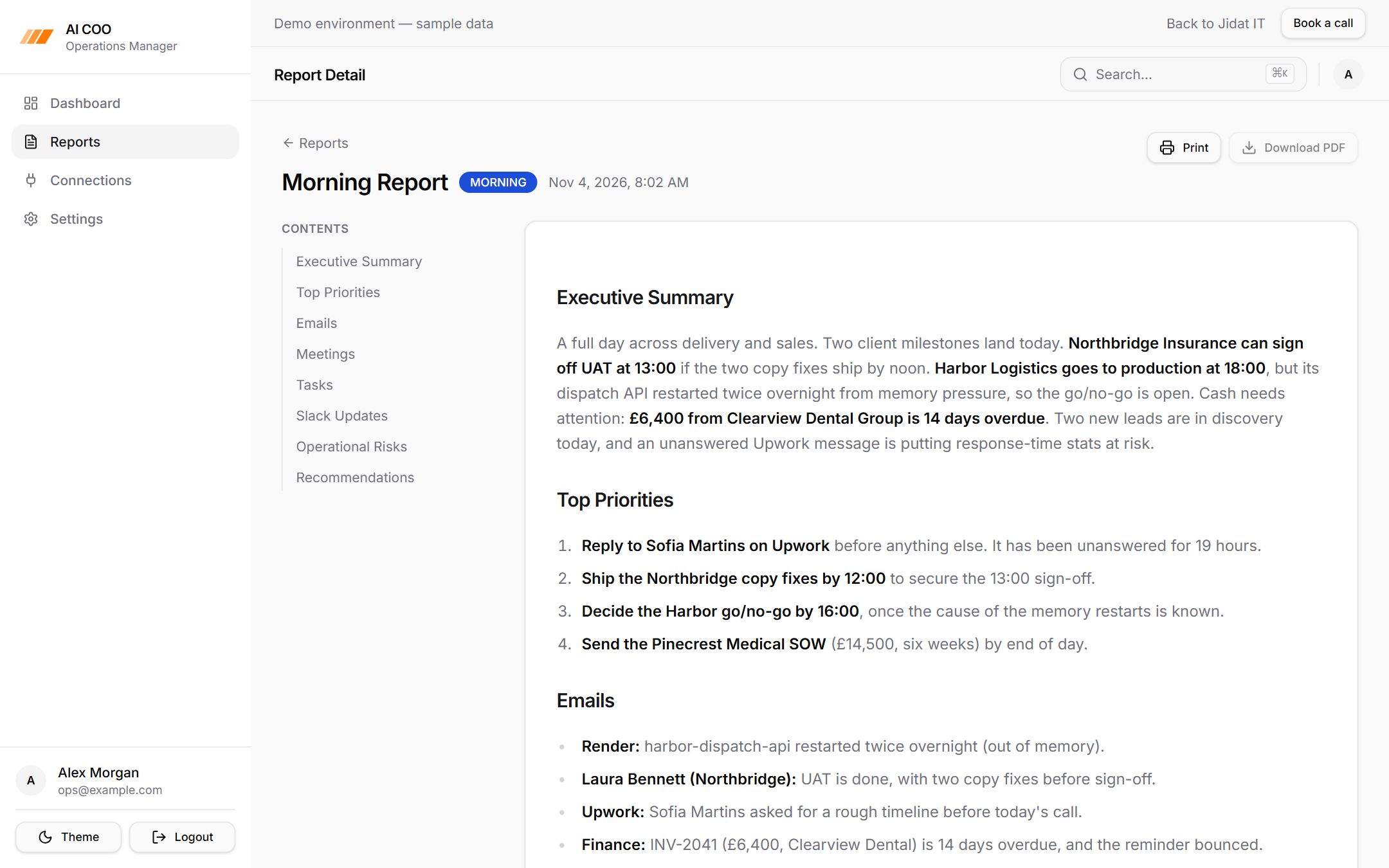
Morning briefs cover the executive summary, top priorities, emails, meetings, tasks, Slack updates, risks, and recommendations.
Evening briefs cover what got done, what's still open, and what to focus on tomorrow.
The same sections in the same order, every time. Leaders know exactly where to look.
Engineering Note
Briefs are generated through OpenRouter with tightly scoped prompts and a word limit, and saved as structured markdown alongside the raw collected data, so every summary can be traced back to the items it came from.
A full morning brief with a table of contents, written from the day's emails, meetings, tasks, and Slack activity.
Knowing What Deserves Attention
Important and unread emails
Today's meetings and links
Tasks due today or overdue
Blocked work
Direct Slack mentions
Operational risks
Collecting everything is easy. Filtering it is the real work.
The system focuses on the signals that usually decide a leader's day:
Everything else stays out of the way.
Engineering Note
Every item carries a high, medium, or low priority, and the dashboard compares the latest two briefs to show whether emails, meetings, tasks, and mentions are trending up or down.
The Brief Goes Where People Already Are
A report nobody opens is useless.
So every brief is delivered three ways.
It's on the dashboard for the full picture.
In email, for the morning coffee read.
In Slack, where the team is already talking.
Each user chooses their timezone and which channels they want.
Behind The Scenes
Email delivery runs through Resend and Slack delivery through the Slack API. Sign-in uses Google OAuth with secure httpOnly session cookies, so no passwords are ever stored.
Designed To Run Without Anyone Pressing A Button
Reporting pipeline
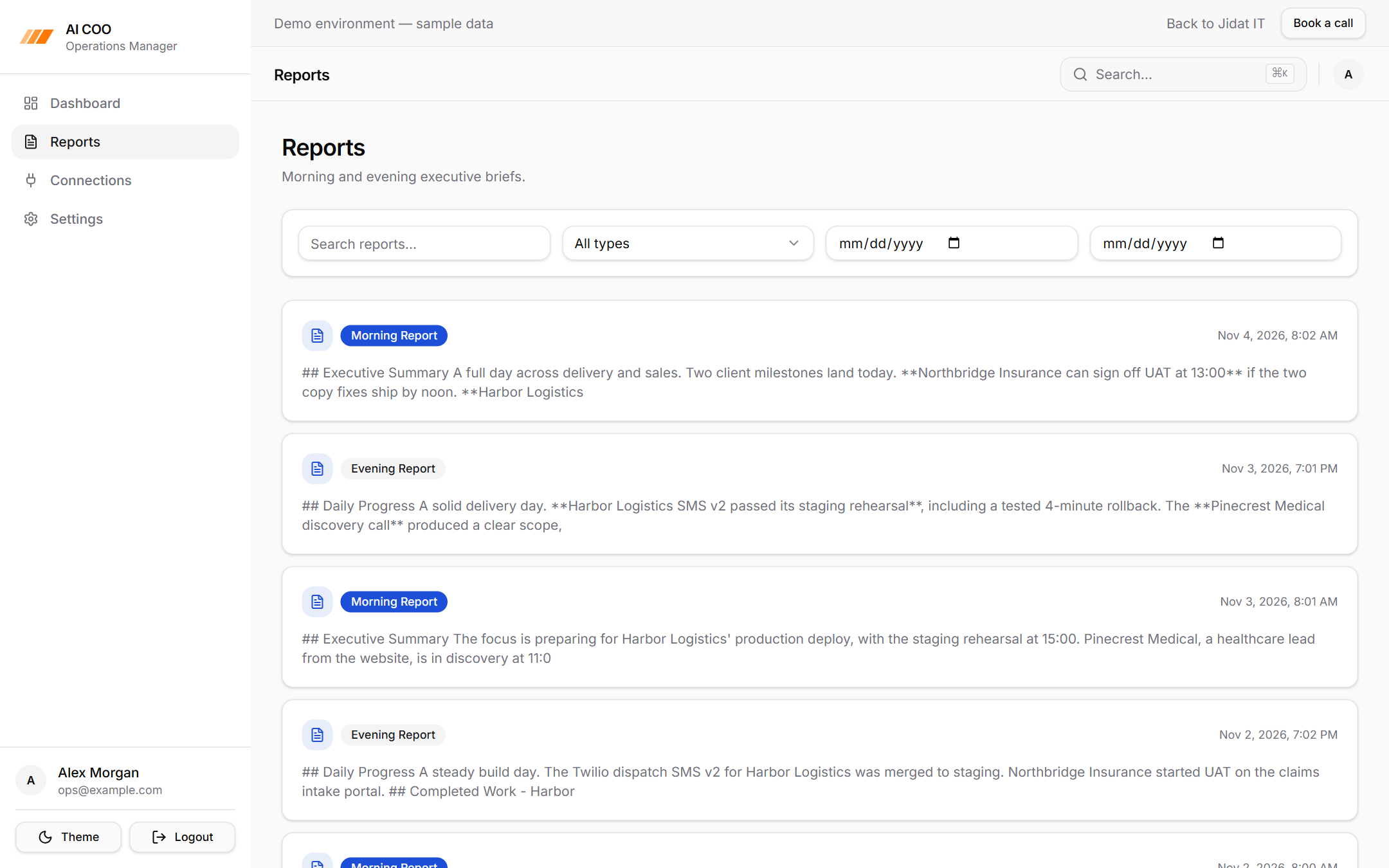
Searchable history of morning and evening briefs with type and date filters.
Engineering Note
Each report stores per-source error details and item counts next to the generated brief, so a broken Slack token or an expired Google session never silently empties a report.
The whole point is that nobody has to remember to run it.
A scheduler checks every user's local time and starts their brief on time.
Connectors collect the data. The AI writes the brief. Delivery sends it out.
If one source fails, the brief still goes out with everything else, and the failure is recorded rather than hidden.
Every past brief stays searchable by date and type, building a running history of how operations are going.
- Schedule
- Collect
- Normalize
- Summarize
- Deliver
The Outcome
Gmail, Calendar, Slack, and Asana are read automatically.
Priorities are surfaced, not searched for.
Briefs arrive at 08:00 and 19:00 local time.
Delivery happens on the dashboard, by email, and in Slack.
Every brief is kept and searchable.
What could have been another chatbot became an AI operations manager that does the reading for you.
Instead of starting the day by checking four tools, leaders start it already knowing what matters.
Try The Interactive Demo
Explore the AI COO with realistic sample data: the ops dashboard, full executive briefs, report history, and connections. No sign-in needed. Want it connected to your own tools? Book a call and we'll set it up for your team.